
Dettivo, now on Linux.
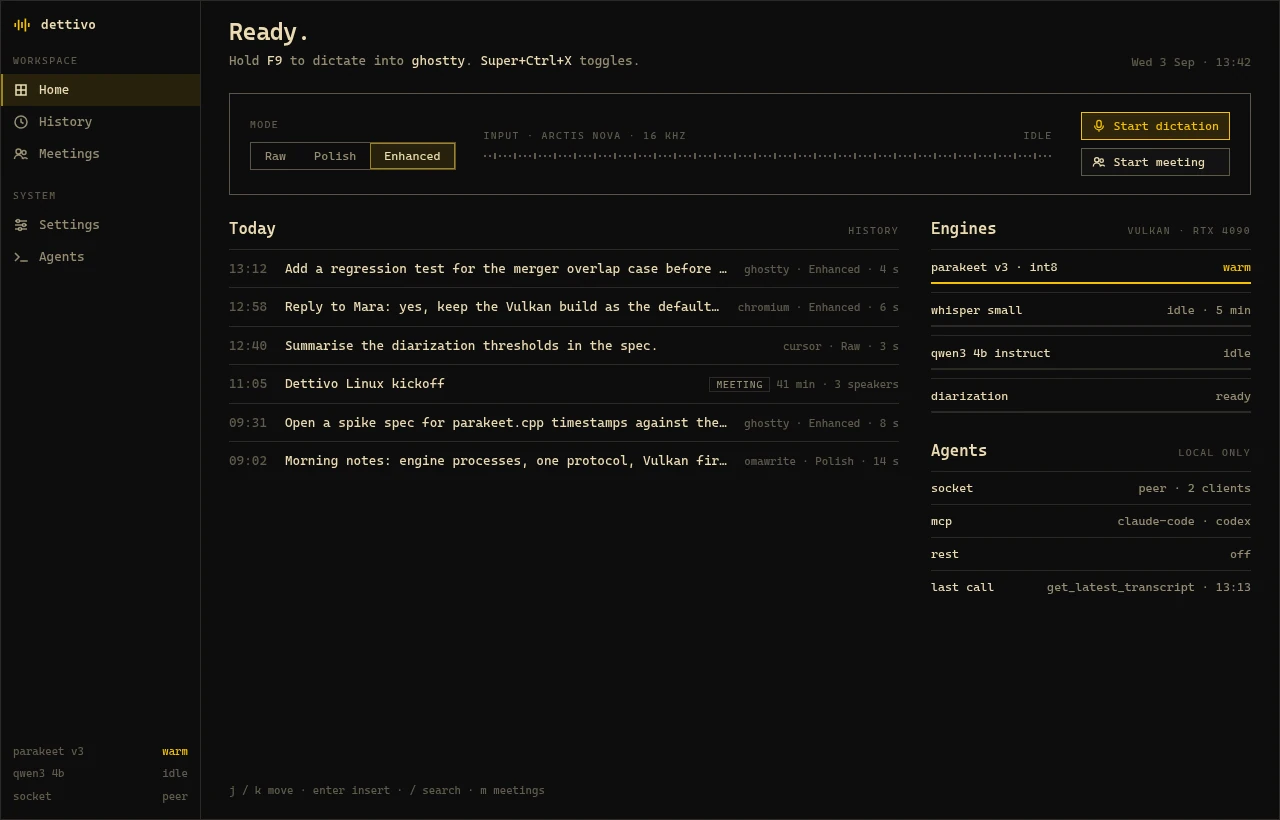
Hold F9, talk, let go, and your words land in the window you were typing in. Dettivo for Linux is a native speech workstation for Omarchy and Hyprland: dictation, meetings with speaker names and a history you can search. Every model runs on your own machine.
§ Install
Three commands on Omarchy.
Download the pacman package from the latest GitHub release. The first command installs it, the second enables the daemon, which starts on the first request, and the third binds the keys and puts Dettivo in the bar.
On plain Hyprland, Sway or Niri, use dettivo setup hyprland (or sway, niri) as the last line. AUR packages follow once AUR account registration reopens.
Terminal
bash
sudo pacman -U dettivo-bin-*-x86_64.pkg.tar.zst
systemctl --user enable --now dettivod.socket
dettivo setup omarchy
§ What it does
The speech workstation, built for the Linux desktop.
Dictation into any app
Hold F9 or toggle a longer take. Text goes in through the Wayland virtual keyboard, or a paste where a window refuses it, and always to the window that had focus when you pressed the key.
Raw, Polish, Enhanced
Raw keeps file names, paths and URLs byte for byte. Polish fixes grammar, fillers and punctuation with a preset per app. Enhanced adds a rewrite by a local language model.
Meetings without a bot
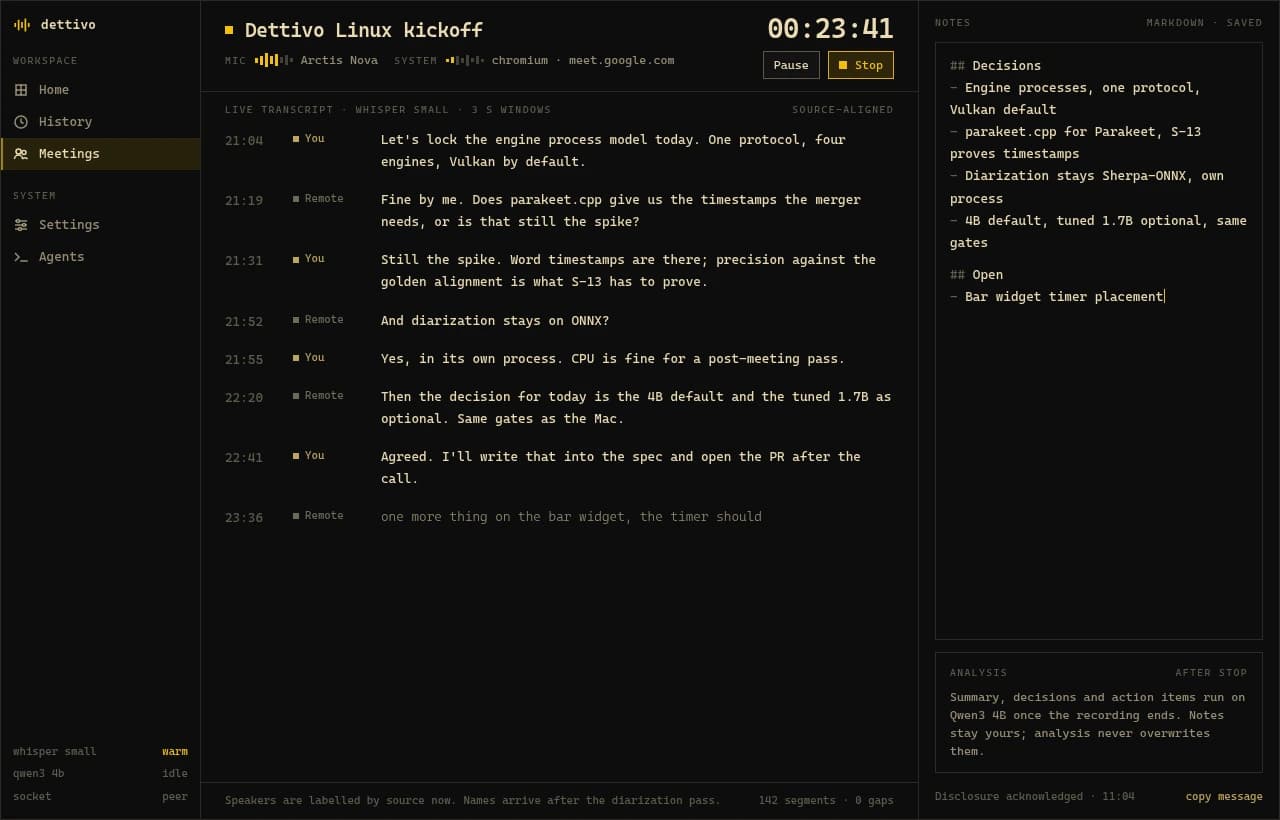
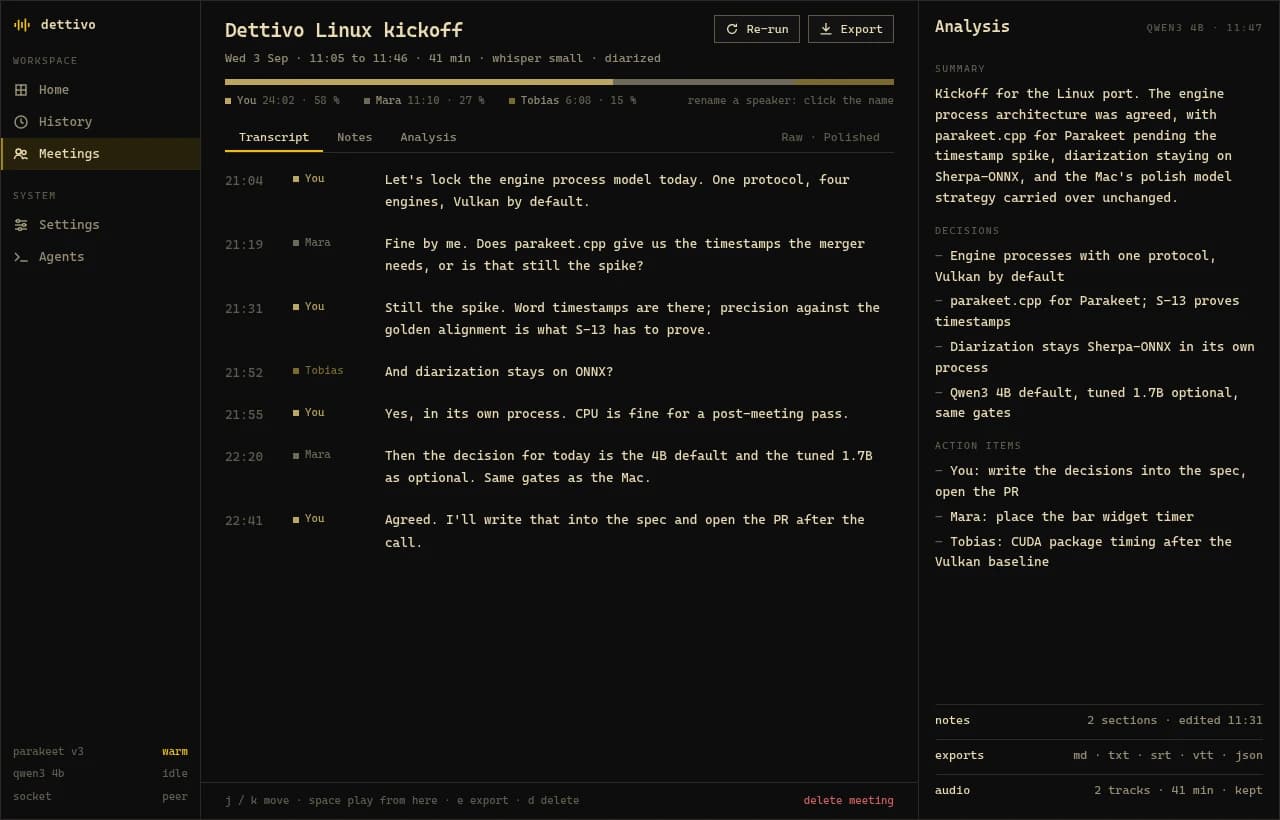
Your microphone and the call are recorded as two tracks and transcribed live. At stop you get speaker names, a summary, decisions and action items next to your notes.
History you can search
Every dictation and meeting is kept with its audio. Search it, run it again with another model, or export it as md, txt, srt, vtt or json.
Agents can use it
One command registers Dettivo as an MCP server in Claude Code, Codex, Cursor or Claude Desktop. The `dettivo` CLI speaks `--json` for your own scripts.
Configuration is a file
`~/.config/dettivo/config.toml` holds every setting. The Settings screen edits the same file and keeps your comments.
§ Omarchy
Lives in the bar. Wears your theme.
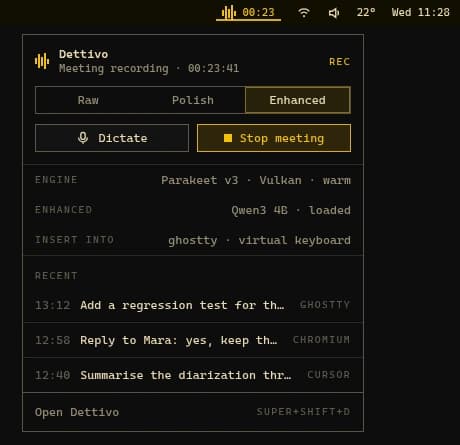
The mark in the Omarchy bar shows when Dettivo is listening, transcribing or recording a meeting, with the timer running. A click opens the panel: the mode, Dictate, the meeting button, which engine is loaded and your recent dictations.
The app, the panel and the recording pill take their colours and font from the active Omarchy theme. Switch themes and they follow on the next frame. The keys are the ones Omarchy already binds for dictation, so F9 keeps doing what you expect.
§ Meetings
Both sides of the call, and who said what.
Dettivo records your microphone and the call's audio on one clock, so nothing has to join the meeting. Write notes while it transcribes. At stop it names the speakers and writes the summary. A headset that drops, a crash or a reboot leaves a meeting you can recover.
§ Under the hood
Local engines, on Vulkan or the CPU.
A Rust daemon runs each engine in its own supervised process, so a crash in native code never takes the daemon down. The app, the pill and the bar are Qt 6 Quick. With a Vulkan driver the engines use your GPU. Without one they fall back to the CPU with smaller models. No telemetry, and nothing leaves the machine unless you point Dettivo at an endpoint yourself.
Models, including Parakeet Ultra- whisper.cpp
- Speech to text, 99 languages
- parakeet.cpp
- Parakeet v3 and Parakeet Ultra
- llama.cpp
- Qwen3 for Enhanced and meeting analysis
- sherpa-onnx
- Who spoke when, after a meeting
§ Also on Mac · Windows coming soon
Using a Mac too?
The Linux edition is open source under the GPL. The Mac app is a separate native app, and buying it funds development of both.