
§ Meetings
Meetings on Linux
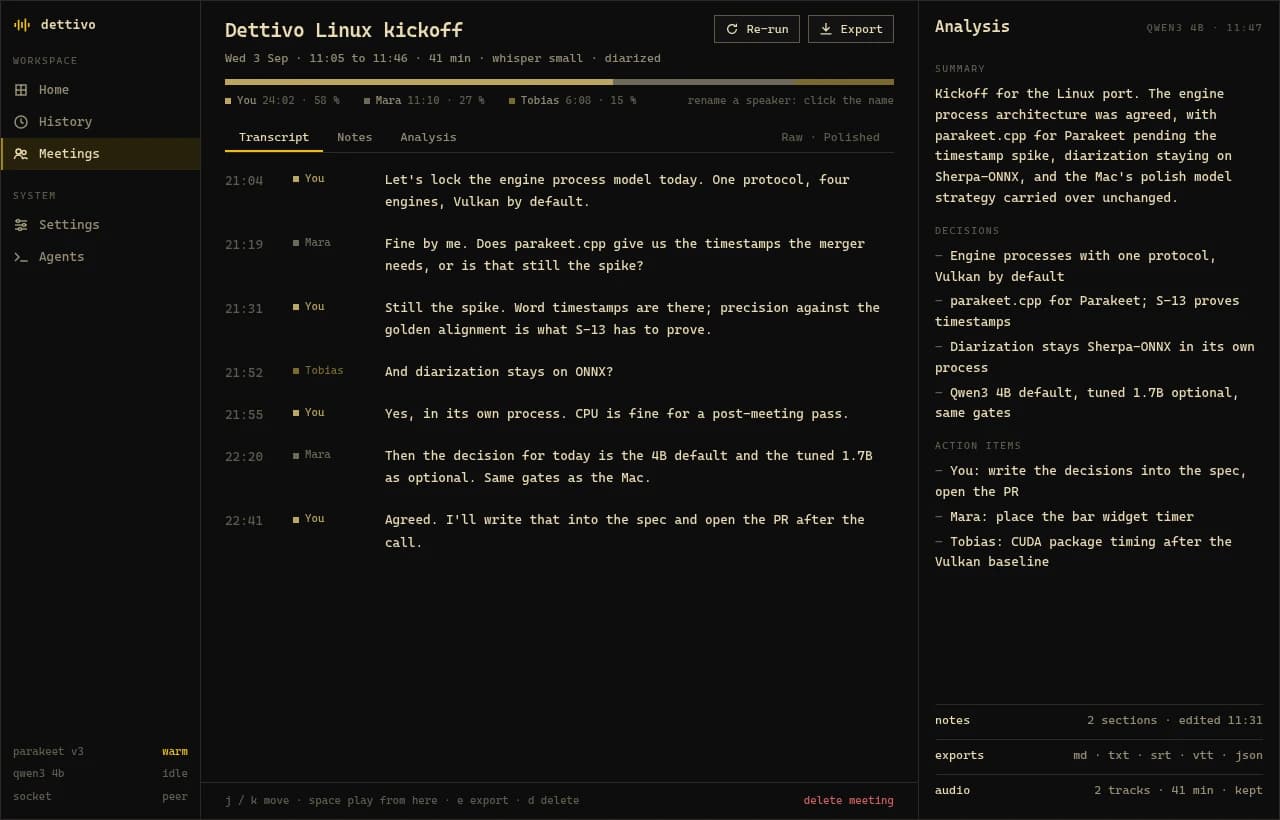
Start a meeting from the app, the bar panel or dettivo meetings start. Dettivo records your microphone and the call's audio as two tracks and transcribes while you talk. At stop it names the speakers and writes a summary with decisions and action items. Nothing joins the call.
Who this is for
Anyone recording calls on Linux from a meeting app or browser that plays through PipeWire.
Recording a meeting
- 01
Acknowledge the notice once
The first meeting asks you to acknowledge a recording notice for the other side.
dettivo meetings disclosure --copyputs it on the clipboard so you can paste it into the call chat. - 02
Start
Click Start meeting in the app or the bar panel, or run
dettivo meetings start --title "Weekly sync". The bar shows the timer and the app window can close. - 03
Take notes
Write Markdown notes next to the live transcript. The analysis goes beside them and never overwrites them.
- 04
Stop
Dettivo builds the full transcript from both tracks, works out who spoke, and writes the summary, decisions and action items.
- 05
Name the speakers
Click a speaker to rename them across the whole transcript. Names you used before come back as suggestions next time.
Exports
Export as md, txt, srt, vtt or json from the meeting screen, or with dettivo meetings export <id> --format md --out notes.md. Speaker names go in front of each line or cue.
When the call goes wrong
A headset that drops out mid-call restarts the microphone on the new default device and marks the gap.
If the daemon crashes or the machine reboots, the next start turns the meeting into a partial one. Recover it from its audio or discard it, in the app or with dettivo meetings recover <id>.
Free and open source · GPL-3.0
Dettivo for Linux 0.2.0 is on GitHub.
The release page has the pacman package and its checksum. Bug reports go to the issue tracker. On a Mac? The native Mac app does all of this with Apple Silicon models.