
§ First run
First run on Linux
Open Dettivo from the launcher. If something is missing, three screens walk you through it: Keys, Models and Try it. After that the app opens on Home, and holding F9 dictates into any window.
Who this is for
New installs, right after dettivo setup. The screens only appear when something is missing, so you can skip them by writing config.toml yourself.
The three screens
- 01
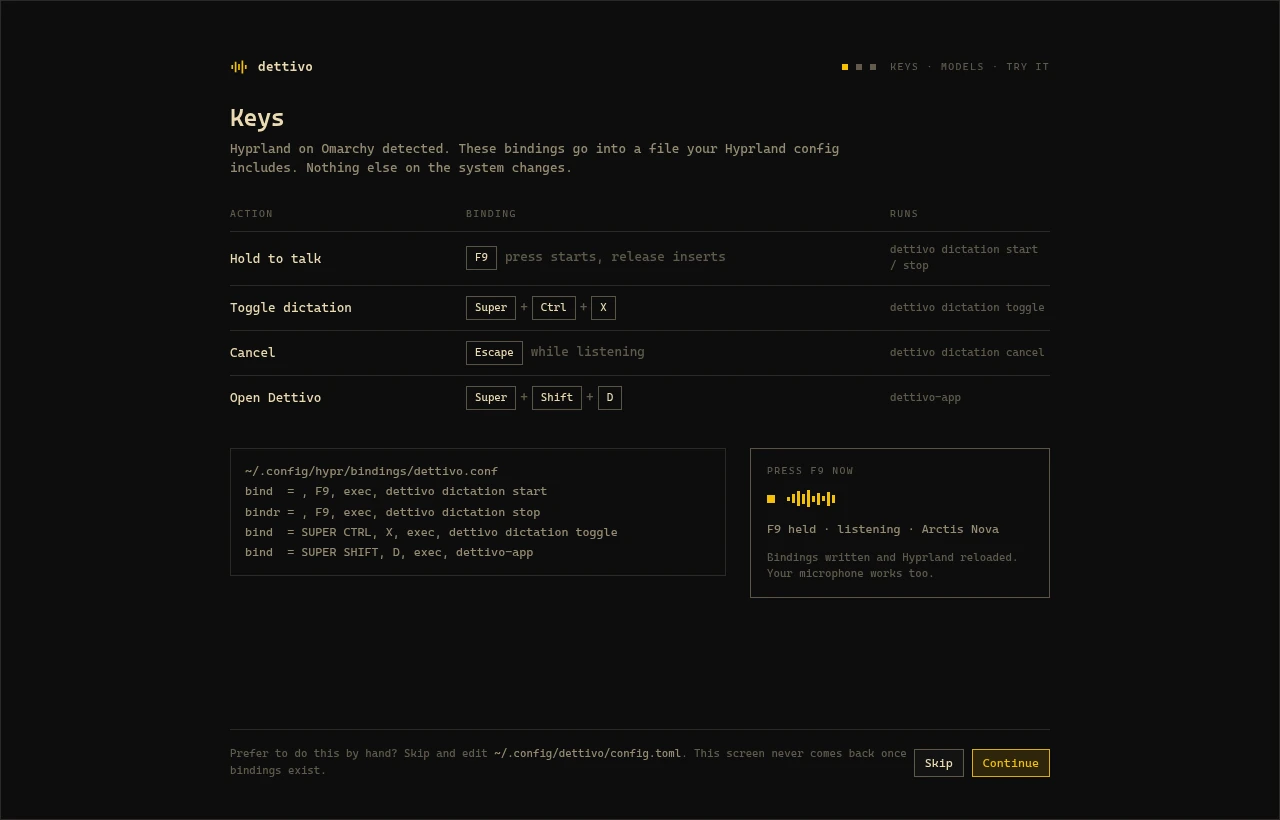
Keys
Shows the bindings
dettivo setupwrote and confirms your key press live. Hold F9 and the screen shows your microphone level.First run › Keys
- 02
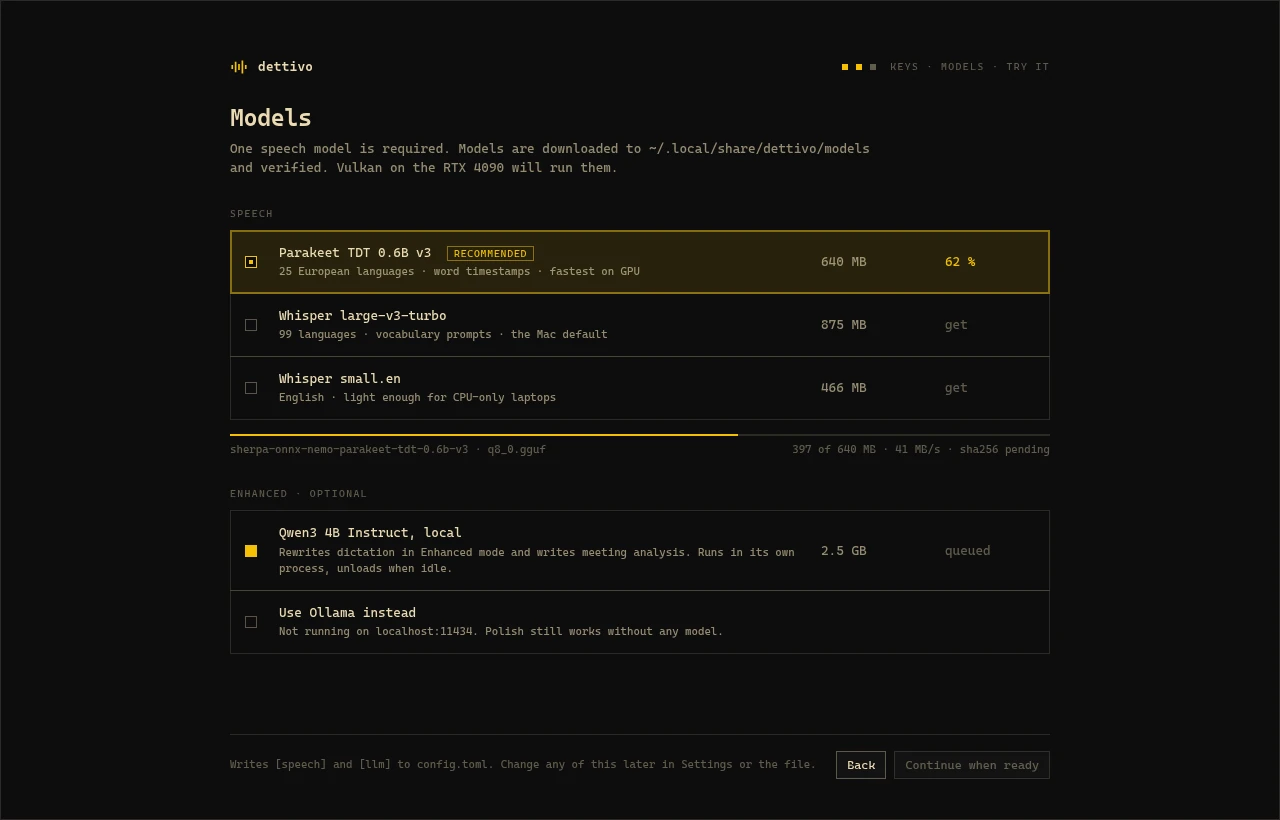
Models
Recommends a speech model for your hardware and downloads it. Every file is checked against a pinned checksum, and an interrupted download picks up where it stopped.
First run › Models
- 03
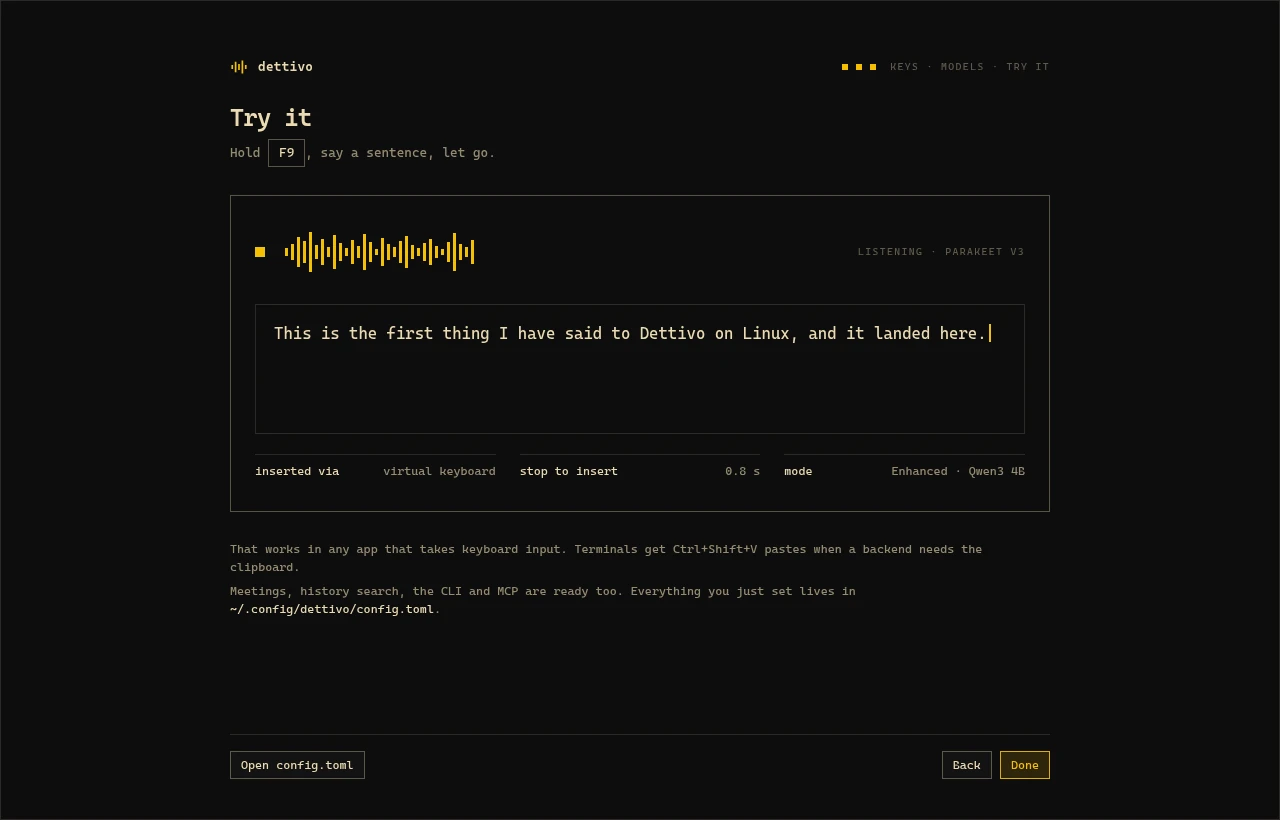
Try it
Hold F9, say a sentence, let go. The words land on the screen with the backend that typed them and how long the stop took.
First run › Try it
After first run
Home lists today's dictations, the engines and which agents are connected. History and Meetings sit in the sidebar. Settings edits the same config.toml you can open in an editor.
When something looks off, run dettivo doctor. It checks the service, the socket, the configuration, every engine and its backend, the insertion chain and the hotkeys, then names what is missing.
Free and open source · GPL-3.0
Dettivo for Linux 0.2.0 is on GitHub.
The release page has the pacman package and its checksum. Bug reports go to the issue tracker. On a Mac? The native Mac app does all of this with Apple Silicon models.